In the fast-evolving world of artificial intelligence, Google Gemini has taken the spotlight as one of the most powerful AI models for text-to-image generation. Whether you’re a digital creator, marketer, or content strategist, Gemini’s image generation with prompts is revolutionizing how visuals are created online. In this article, we’ll explore how this trending AI tool works, how to use it, and why it’s quickly becoming a favorite for content creators and businesses alike.
What Is Google Gemini Image Creation?
Google Gemini is an advanced AI model developed by Google DeepMind that combines text understanding, image generation, and creative intelligence into one system. Similar to other AI tools like DALL·E or Midjourney, Gemini allows users to create images using text prompts — but with a more natural and detailed approach.
When users type a prompt such as “a futuristic city skyline at sunset in ultra-realistic style”, Gemini instantly analyzes it and generates a high-quality, realistic image within seconds. Its deep multimodal learning capabilities enable it to understand complex visual ideas and produce stunning artwork, illustrations, product images, and social media visuals.
How To Create Images With Google Gemini Prompt
Step 1: Access Google Gemini
You can use Gemini via Google Labs or Gemini AI platform. Once logged in, navigate to the Image Creation section. You’ll find a prompt box where you can type your idea.
Step 2: Write a Detailed Prompt
The quality of the image depends on the clarity of your prompt. A good prompt should include:
- The subject (e.g., “mountain landscape”)
- The style (e.g., “realistic, 8K, cinematic lighting”)
- Additional details (e.g., “morning sunlight, misty clouds”)
Example prompt:
“A peaceful mountain lake surrounded by pine trees at sunrise, 8K ultra-realistic, cinematic lighting.”
Step 3: Generate and Customize
Gemini will generate multiple image variations within seconds. You can refine your prompt or adjust parameters like color, style, or resolution to get your perfect output.
Top Features of Google Gemini Image Generator
1. Realistic Output
Gemini produces high-resolution, photo-realistic images that are ideal for blogs, ad campaigns, and branding.
2. AI-Powered Creativity
It doesn’t just copy styles — it creates unique, original artwork every time, perfect for content marketing and SEO-driven visuals.
3. Multimodal Understanding
Gemini understands text, context, and emotion, allowing users to get accurate and creative visual outputs.
4. Easy Integration
You can integrate Gemini with tools like Google Workspace, YouTube, and Ads Manager, helping marketers generate visual assets for campaigns faster.
Why It’s Trending in 2025
The rise of AI image creation has made Gemini a hot topic for digital marketers and designers. With high CPC keywords like AI image generator, AI tools for marketing, Google Gemini AI, and text-to-image creator trending on Google, creators are leveraging this technology to boost their content quality and ad revenue.
Google’s ecosystem ensures faster adoption, making Gemini one of the most searched AI tools of 2025.
FAQs on Google Gemini Image Creation
1. Is Google Gemini free to use?
Yes, Gemini offers a free tier, but advanced features and higher-quality outputs may require a paid subscription.
2. Can I use Gemini-generated images commercially?
Absolutely. You can use Gemini images for marketing, branding, or personal projects, provided you follow Google’s content policy.
3. How is Gemini different from DALL·E or Midjourney?
Gemini’s integration with Google products, faster response, and multimodal intelligence make it more accessible and powerful for professionals.
4. Does Gemini support editing existing images?
Yes. You can upload images and modify them using prompts — ideal for improving product photos or creating ad visuals.
Conclusion
The Google Gemini Image Create with Prompt feature is more than just a trend — it’s the future of creative AI. By combining deep learning and human-like understanding, Gemini allows anyone to turn imagination into reality in just seconds. For businesses, marketers, and artists, this tool is a game-changer in content creation, helping boost SEO performance, engagement rates, and monetization potential.
If you’re looking to create professional-quality visuals effortlessly, now’s the time to try Google Gemini and experience the next generation of AI-powered creativity.
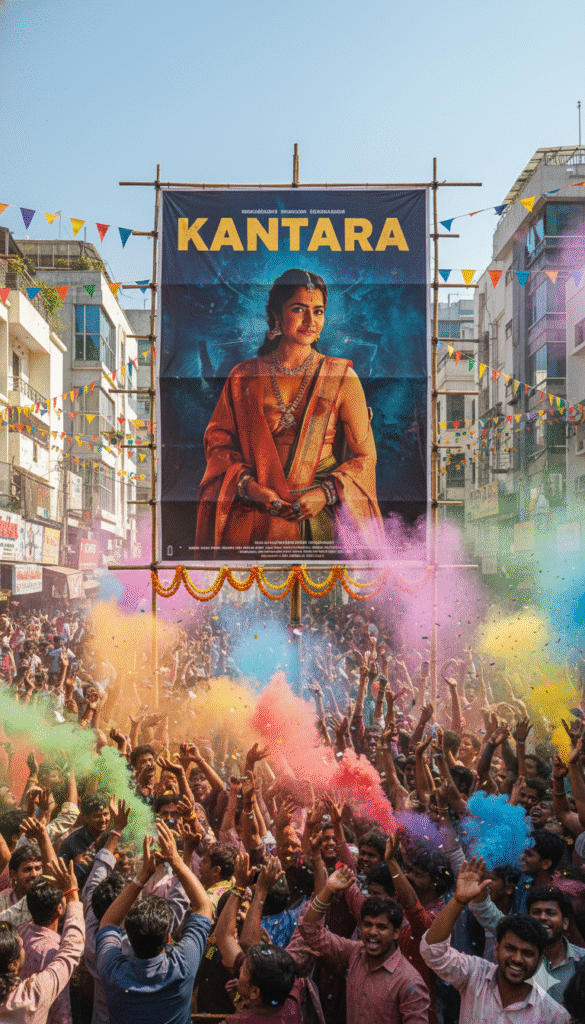
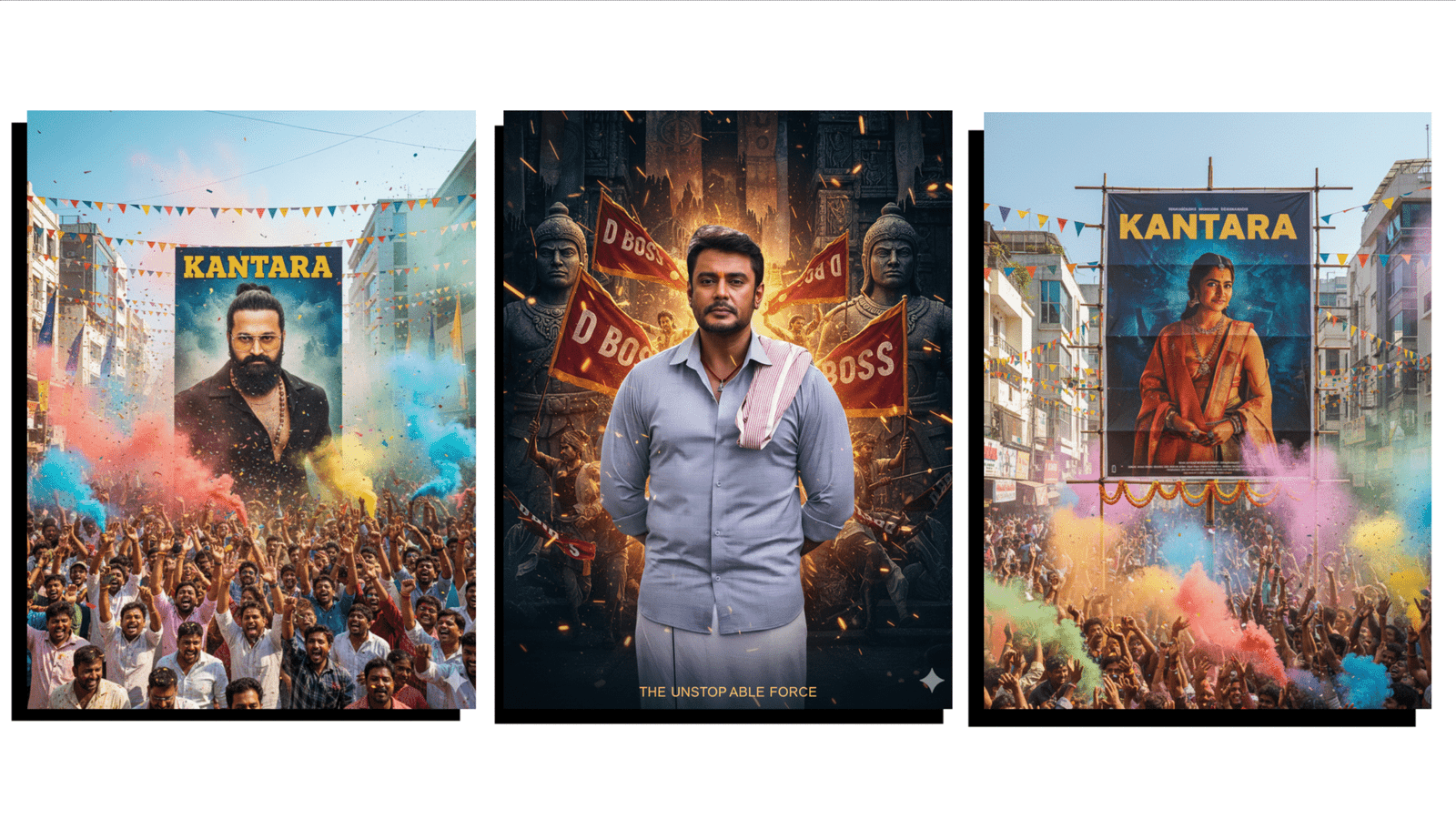
A create uploaded image festive street celebration scene in India with a large enthusiastic crowd cheering and throwing colorful smoke powder and confetti into the air. At the center is a giant poster featuring a charismatic man Same dress , looking intense and confident. The poster reads “KANTARA” in bold yellow letters. The background includes colorful triangular flags, modern urban buildings, and a bright blue sky with sunlight illuminating the scene. The mood is vibrant, cinematic, and full of festival energy, capturing the excitement of a movie release celebration. 100% face Matching image Size: 3:4
Generate a cinematic tribute poster for “D BOSS”, featuring the uploaded person as the central subject.
Do not alter or modify the person’s face, pose, outfit, or skin tone. Maintain the original appearance 100% realistic and untouched.
Background Instructions (only):
• Design a dark, majestic background inspired by fan revolutions, historical murals, and movie cult poster art.
• Place stone-sculpted warriors and fans holding “D BOSS” flags around the subject.
• Add flowing banners, layered fabric textures, and *divine golden spar fire particle colour grading, image Size: 3:4