Introduction
In today’s digital era, AI-generated cinematic images have taken social media by storm. One of the most popular tools behind this creative revolution is Google Gemini, Google’s advanced multimodal AI platform. From realistic movie-like portraits to stunning background visuals, Google Gemini cinematic style images are trending everywhere — on Instagram, X (Twitter), and YouTube thumbnails.
If you’re wondering how to create such images easily and make them look professional, you’re in the right place. In this article, we’ll explain how to create trending Google Gemini cinematic-style images, the best prompts, and tips to increase your reach using high-quality visuals.
What is Google Gemini?
Google Gemini is Google’s most powerful AI model that combines text, images, and video understanding. It’s part of Google’s AI Studio and Bard ecosystem and can generate stunningly realistic cinematic visuals with the right prompts. Gemini is known for its high-quality rendering, natural lighting, and film-like depth, making it ideal for content creators, bloggers, and marketers.
Key Features of Google Gemini:
- Realistic cinematic depth of field
- Supports photo-realistic lighting effects
- Multimodal prompts (text + image + video input)
- Easy-to-use web interface (Google AI Studio)
- Free and premium access options
How to Create Trending Cinematic Style Images with Google Gemini
Follow these simple steps to create eye-catching cinematic images using Google Gemini:
Step 1: Visit Google AI Studio
Go to the official Google AI Studio and sign in with your Google account. This is where Gemini’s latest tools are integrated for public use.
Step 2: Choose Gemini Image Generation Mode
After logging in, choose the “Create Image” option. Select Gemini 1.5 or 2.0 Pro Vision (depending on your access level).
Step 3: Enter a Cinematic Prompt
Here’s where creativity matters. Type a cinematic-style prompt describing the image you want.
For example:
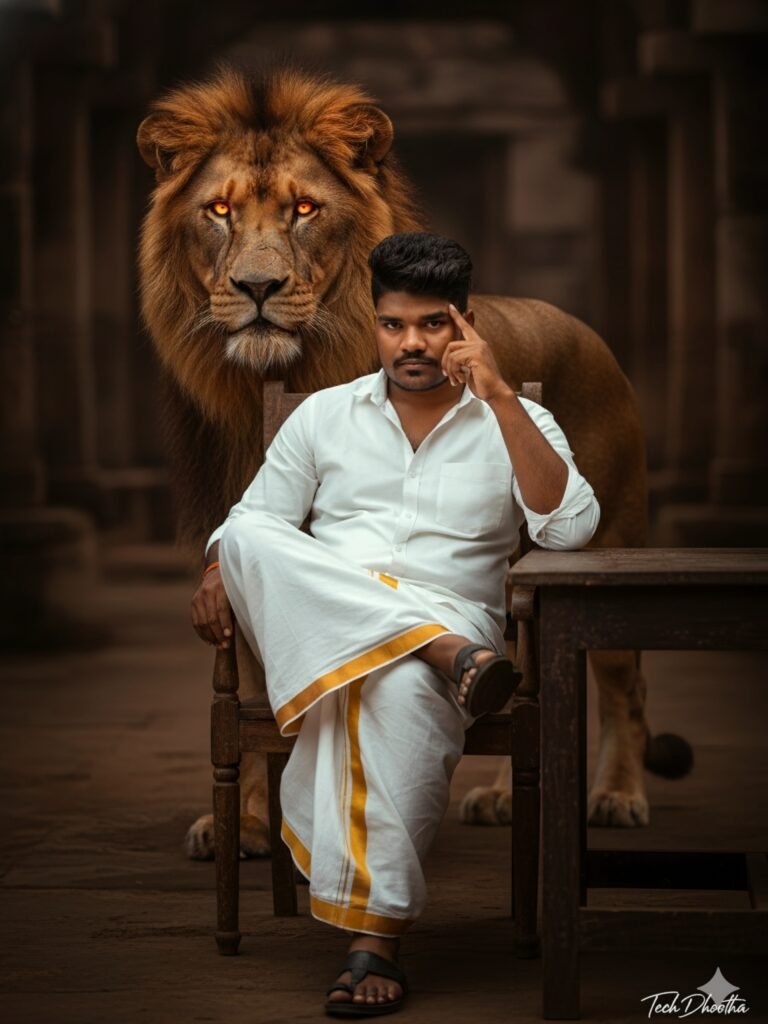
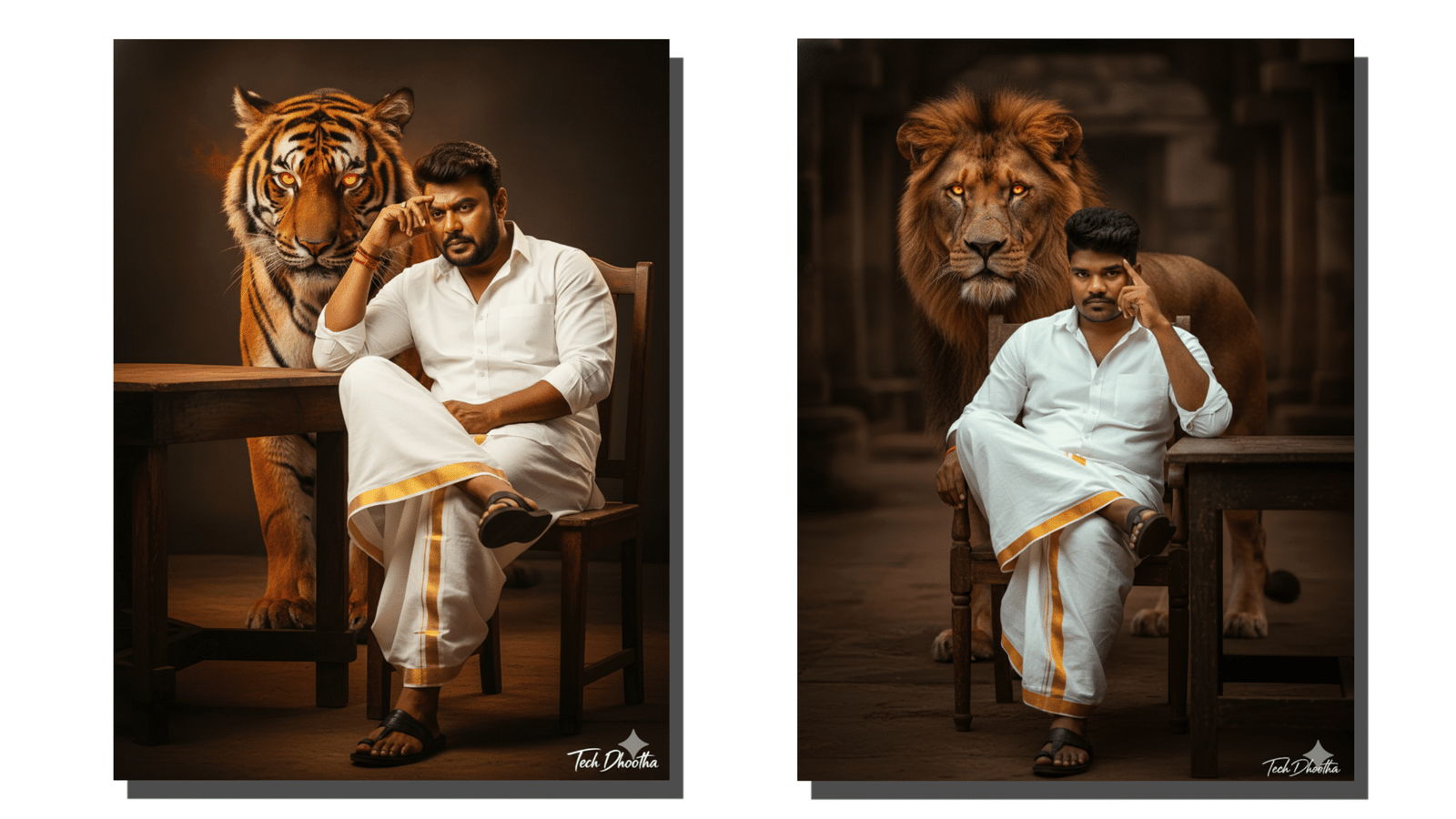
“Create a realistic, high-resolution 3:4 cinematic image of a 25-year-old man with my uploaded real face and the same hairstyle from the uploaded image. He has intense eyes and a thoughtful pose (hand near forehead). He is wearing a white shirt and a white dhoti with a golden border, along with black leather sandals. He is seated on a wooden chair, with his right leg crossed over his left, at a wooden table against a dark cinematic background. Behind him, a majestic tiger stands confidently, its eyes glowing with fiery light. Add a small signature “Tech Dhootha” in the corner. Use cinematic lighting and color grading for a dramatic, movie-like look.”
ಇದನ್ನು ಮೊದಲು ಓದಿ: ಮೇಲೆ ನೀಡಿರುವ Prompt ಕಾಪಿ ಮಾಡ್ಕೊಂಡು Google Gemini Open ಮಾಡಿ, ನಿಮ್ ಫೋಟೋನ ಹಾಕಿ, ಈ Prompt pasteಮಾಡಿ, Prompt ಅಲ್ಲಿ ಯಾವ ಪ್ರಾಣಿಯ ಚಿತ್ರ ಬೇಕು ನೋಡಿ ಅದನ್ನ ನೀವೇ ಚೇಂಜ್ ಮಾಡಿ. ನಾವು ಈಗಲೇ ಒಂದು ಪ್ರಾಣಿಯ ಚಿತ್ರ ಕೊಟ್ಟಿದ್ದೇವೆ.
Step 4: Adjust Settings
You can fine-tune the aspect ratio, lighting, depth, and composition. For cinematic styles, choose 16:9 or 21:9 aspect ratio and enable film lighting if available.
Step 5: Generate and Download
Click “Generate”, wait a few seconds, and your Google Gemini cinematic image will appear. Download it in high resolution for use on websites, thumbnails, or social media.
Best Prompts for Cinematic Style Images
Here are a few trending Gemini prompts that produce stunning cinematic results:
- “Cinematic night street in Tokyo with neon reflections and rain effect”
- “Young woman standing in golden-hour sunlight, lens flare, cinematic color tone”
- “Fantasy warrior standing on cliff with glowing sword, ultra-realistic 8K shot”
- “Minimalist modern office with cinematic lighting and soft shadows”
Use descriptive and emotional words like dramatic, soft light, depth, cinematic tone, and film color grading to improve the output.
SEO & Monetization Tip
If you’re a blogger or YouTuber, using Google Gemini cinematic-style images in your content can boost CTR (Click-Through Rate) and increase eCPM and CPC. High CPC keywords to use in your posts include:
- AI image generator online
- best cinematic AI tools
- AI photo creator for YouTube thumbnails
- Google Gemini image prompt guide
- high-quality AI visuals for marketing
These keywords attract advertisers related to AI tools, digital marketing, and tech innovation, helping you earn more from AdSense and affiliate links.
FAQs
1. Is Google Gemini free to use?
Yes, Gemini offers a free version with limited features. For professional cinematic image creation, the Gemini Advanced (part of Google One AI Premium) provides better quality.
2. Can I use Gemini images for commercial purposes?
Yes, Google allows personal and limited commercial use of Gemini-generated images, but always check the usage policy before publishing.
3. Do I need any editing skills?
No, Gemini handles the cinematic effects automatically. However, using basic tools like Canva or Photoshop can enhance the visuals further.
4. How to make images go viral on social media?
Add trending hashtags (#GoogleGemini, #AIart, #CinematicStyle), maintain consistent color grading, and use storytelling captions.
Conclusion
Creating Google Gemini cinematic style images is not just easy — it’s a game-changer for creators, marketers, and bloggers in 2025. With its realistic AI rendering, cinematic depth, and high engagement value, Gemini allows anyone to produce visuals that look straight out of a movie scene.
Start experimenting today with your own prompts and bring your imagination to life — because in the world of AI creativity, your story deserves a cinematic frame.