Artificial Intelligence image generation is becoming very popular on social media platforms. Many creators are now using AI tools to generate stunning visuals within seconds. One of the most powerful tools for this purpose is Google Gemini. It allows users to generate creative images using simple text prompts. Recently, the Night Mode style AI images have become a trending concept where images are designed with dark themes, glowing lights, neon colors, and cinematic lighting effects. These images look modern, stylish, and perfect for sharing on platforms like Instagram, YouTube, and Facebook.
In this guide, you will learn how to create trending Night Mode style AI images using prompts in Google Gemini.
What is Night Mode Style AI Image?
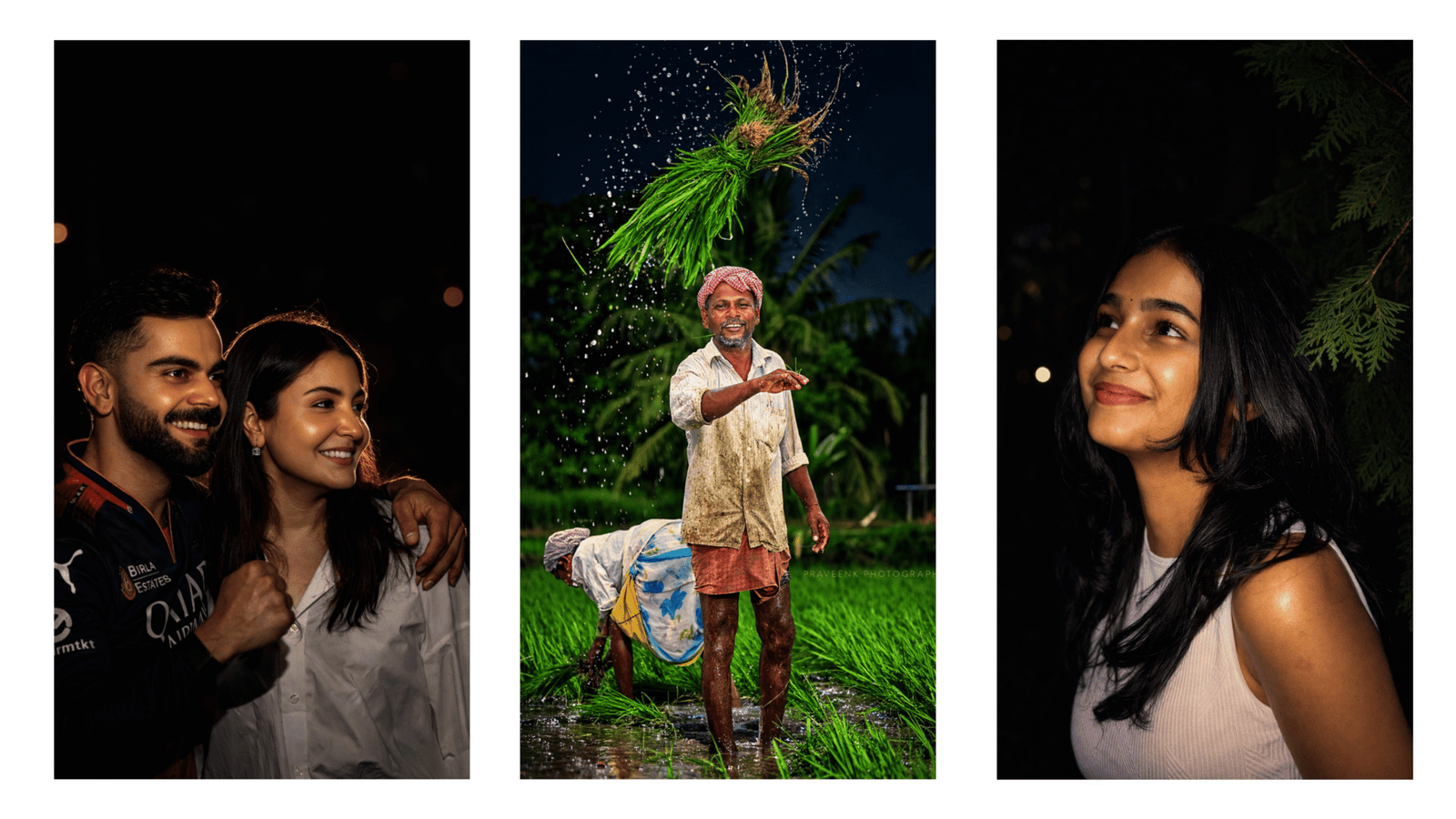
Night Mode style images are AI-generated pictures that focus on dark backgrounds and glowing lighting effects. These images usually contain neon lights, futuristic colors, cyberpunk themes, and dramatic shadows. The overall look feels like a scene captured during nighttime with stylish illumination. This style is currently trending because it creates a cinematic and high-quality visual effect that attracts viewers quickly.
Creators use Night Mode AI images for profile pictures, wallpapers, thumbnails, posters, and social media posts. The strong contrast between dark backgrounds and bright neon lights makes the images visually appealing.
Steps to Create Night Mode AI Images Using Google Gemini
Creating Night Mode style images with Google Gemini is very simple. Follow these steps to generate your own trending AI visuals.
Step 1: Open Google Gemini
First, open the Google Gemini website or mobile application on your smartphone or computer. Make sure you are logged into your Google account.
Step 2: Start a New Prompt
In the chat box, type a detailed prompt describing the image you want to generate. The more details you add, the better the result will be. Include elements like lighting, colors, environment, and style.
Step 3: Use Night Mode Keywords
To achieve the Night Mode look, include keywords such as dark background, neon lights, glowing effects, cyberpunk style, cinematic lighting, night atmosphere, and high contrast. These keywords help the AI understand the desired visual style.
Step 4: Generate the Image
After writing the prompt, press enter and allow Gemini to generate the image. Within a few seconds, the AI will produce a visually appealing Night Mode style image based on your description.
Step 5: Download and Share
Once the image is generated, you can download it and share it on social media platforms or use it for your creative projects.
Example Prompt for Night Mode AI Image
“Create a cinematic night mode portrait of a young man standing in a futuristic city street with neon lights, glowing signs, dark background, cyberpunk atmosphere, ultra realistic lighting, high detail, and dramatic shadows.”
You can modify this prompt by adding elements such as bikes, cars, city skylines, rain effects, or glowing reflections to make the image more creative.
Tips for Creating Better Night Mode AI Images
To improve the quality of your generated images, always write clear and descriptive prompts. Mention lighting effects, color tones, and camera angles. You can also experiment with different themes like futuristic cities, night landscapes, glowing vehicles, or neon portraits.
Another useful tip is to combine artistic styles such as cyberpunk, cinematic photography, or digital art. This combination helps produce more unique and visually impressive results.
Conclusion
Creating trending Night Mode style images using Google Gemini is an easy and creative process. With the help of well-written prompts, anyone can generate professional-looking AI visuals within seconds. Whether you are a content creator, designer, or social media enthusiast, Night Mode AI images can help you attract more viewers and improve the visual quality of your posts. By experimenting with different prompts and styles, you can create unique AI artworks that stand out online.

Apply a bold night-flash aesthetic to the uploaded photo while preserving original detaiIs except for Iighting, gIow, and color mood.

Keep the night-time enviroment dark and unIit, maintaining existing shadows and siIhouettes.

Do not brighten the backgrounnd except for sIight enhancement of point lights.

Illuminate the subject with a strong, warm, direct front-facing fIash,

focused near the face and upper body (primary bright area).

Add diffused sun-beam style highlights on cheekbones, nose bridge, lips and hair strands.

Maintain separation between bright areas and deep shadows for cinematic contrast.

NEGATIVE INSTRUCTIONS:

No new background.

No background change.

No overly dramatic lighting.

No face morphing.

No fake glow.

No flat lighting.

No over-smooth skin.

No pose change

no change change model face