In today’s fast-moving digital world, short and engaging videos are dominating platforms like Instagram Reels, YouTube Shorts, and TikTok. One of the most popular formats is the timeline video, which tells a story in chronological order. Whether it’s a personal journey, a historical sequence, or a transformation story, timeline videos capture attention quickly. With tools like Runway ML, creating such videos has become easier, faster, and more creative than ever before.
Understanding Timeline Video Content
A timeline video is all about storytelling. It presents events step-by-step, helping viewers understand progress or change over time. These videos are widely used for educational purposes, brand storytelling, motivational content, and even entertainment. The key to making a trending timeline video is clarity, creativity, and emotional connection.
Step-by-Step Process to Create a Timeline Video
The first step is planning your concept. It could be your personal growth, a success story, a “before vs after” transformation, or even a historical timeline. Once you finalize the idea, break it into small milestones. This structure will guide your entire video.
Next, gather your content. Collect images, short video clips, or visuals that represent each stage of your timeline. Make sure your content is high quality and visually consistent. A clean and cohesive look makes your video more professional and engaging.
After collecting your media, open Runway ML and create a new project. Upload all your files into the workspace. The platform allows easy organization, making it simple to access and arrange your content.
Now comes the editing part. Place your clips on the timeline in chronological order. Keep each clip short and impactful. Avoid long, slow sections because modern viewers prefer fast-paced content. Smooth transitions between clips are essential to maintain flow.
Enhancing Your Video with AI
One of the biggest advantages of Runway ML is its AI-powered tools. You can remove backgrounds, apply motion tracking, and even generate unique visual effects. These features help transform simple clips into eye-catching visuals.
Add text overlays to highlight key moments. For example, include years, dates, or short captions that explain what’s happening. Too much text can distract viewers.
Music also plays a huge role. Choose a background track that matches your story. Emotional music works well for inspirational timelines, while upbeat tracks are perfect for energetic transformations. Sync your music with transitions for a polished finish.
Final Touch and Export
Before exporting, preview your video carefully. Check for smooth transitions, proper timing, and clear text. Export your video in high resolution (at least 1080p). If you are posting on social media, consider using vertical format for better reach.
Tips to Make Your Video Go Viral
To create a trending timeline video, focus on the first few seconds. A strong hook grabs attention instantly. Keep your video short, engaging, and visually dynamic. Use trending sounds if possible and maintain consistent color grading throughout the video.
Conclusion
Creating a timeline video using Runway ML is a smart way to produce high-quality, engaging content without advanced editing skills. By combining storytelling, creative visuals, and AI-powered tools, you can create videos that not only look professional but also have the potential to go viral. The secret lies in simplicity, clarity, and creativity.
Image Prompt:

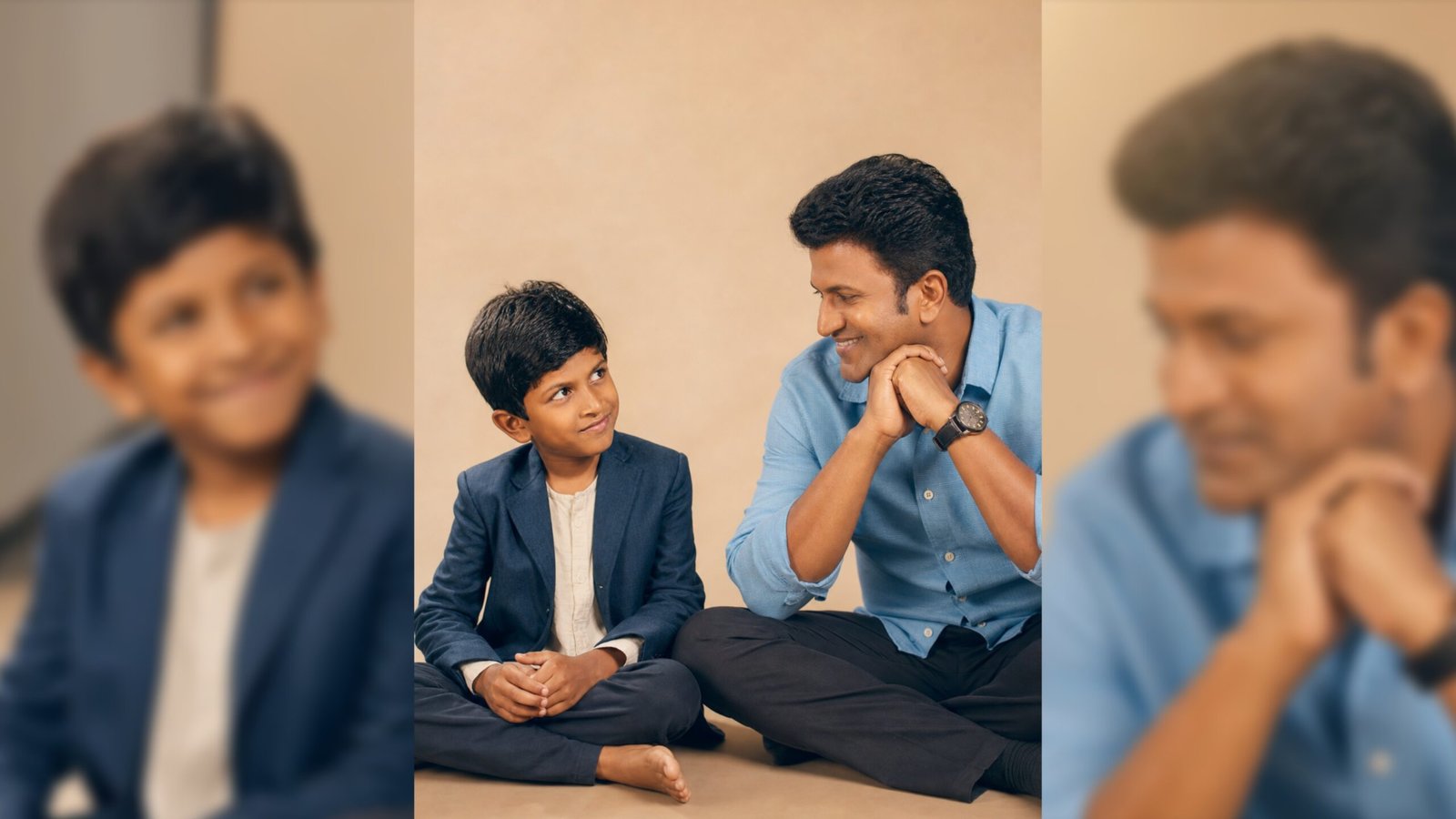
Using the images I'm going to upload to create a soft, emotional colourful image.
Let the formation be as follows:
On the left: a child version of me (from a childhood photo) looking with an innocent smile to the right.
On the right: a present version of me (from a recent photo) sits with his hands under his chin and looks at the child with a calm smile.
Studio background: plain and soft (studio background)
Lighting: soft, cinematic, warm (even in colourful image)
Sitting on the floor
Style: professional, minimal emotional photography, focusing on feelings and visual communication between the two versions.
Make the picture look very real, like a real photoshoot between the two versions.
Keep my original features without changing.
Ratio : 9:16
Video Prompt:
Create a soft nostalgic cinematic video using the uploaded then-and-now portrait of the same boy.
Animate the child version on the left with gentle blinking, tiny hand movement, looking toward the future self.
Animate the present man on the right with subtle breathing motion, slight hair movement, warm emotional smile, hands under chin, looking lovingly at his younger Add warm vintage tones, soft beige studio background, floating dust particles, subtle film grain, dreamy light rays, and a glowing connection light between both versions.
Use slow push-in camera zoom and delicate parallax depth movement.
Keep expressions natural and heartfelt. End with both smiling at each other.
Ultra realistic, preserve original facial features, cinematic emotional storytelling, smooth motion, high detail.